

Inbound vendor tracking
See supplies arriving from several vendors in one business dashboard—with LR milestones, PO references and POD your procurement team can trust.
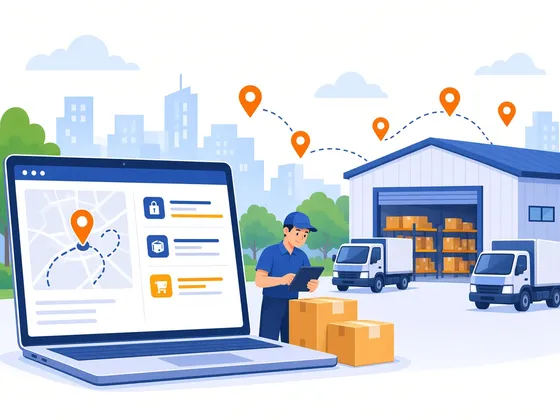
- Multi-vendor
- One dashboard for every supplier lane
- LR & POD
- Per consignment documentation
- PO ready
- Reference fields for procurement
- Alerts
- Delays and exceptions surfaced early
Overview
Inbound tracking at a glance
Manufacturers and distributors use inbound tracking to reconcile POs against carrier scans and POD.
One view for multiple vendor pickups
LR and POD per consignment
Alerts and support escalation
Industries
Sectors
Industry guides for inbound supply chains
AtlasShip helps MSMEs compare carriers for sector-specific B2B moves—heavy parcels through full truck loads.
 Apparels & LifestyleTailor-made logistics to suit your storage and retail needs.Industry guide
 Books & PeriodicalsHassle-free logistics for books, periodicals, and institutions.Industry guide
 HealthcareDoorstep logistics and supply chain solutions for healthcare.Industry guide
 FMCG & Consumer ElectronicsTrusted FMCG supply chain offerings across India.Industry guide
 AutomotiveTimely, nationwide distribution of automotive parts and spares.Industry guide
 EngineeringSwift delivery of tools and engineering supplies on every lane you book.Industry guide
 Hi-TechReliable logistics for electronics, components, and high-value SKUs.Industry guide
 Retail & EcommerceMulti-city restock, dark stores, and B2B ecommerce fulfillment.Industry guide
Visibility
Stop chasing vendors for LR updates
Spreadsheets
Manual LR lists
- UpdatesChased by phone and WhatsApp
- PO matchManual lookup per LR
- PODFiles scattered across inboxes
- Best forVery low vendor count
AtlasShip
Unified inbound dashboard
- UpdatesCarrier milestones on every LR
- PO matchReference fields tied to PO or ASN
- PODSigned POD per consignment in one place
- Best forMulti-vendor factory and DC inbound
Carrier portals
One portal per carrier
- UpdatesSeparate logins and formats
- PO matchRarely linked to procurement
- PODDownloaded per carrier
- Best forSingle-carrier lanes only
Who it's for
Teams that receive from many vendors
Inbound tracking helps procurement, warehouse and project teams see freight before it hits the dock.
Manufacturers
Track raw material and components from multiple suppliers into your plant or vendor hub.
Distributors & C&F
See inbound from principals and vendors before stock hits your godown.
Retail replenishment
Monitor vendor dispatches to your DC ahead of store allocation.
Project & capex teams
Follow long-lead equipment and spares from several OEMs to site.
How it works
From vendor dispatchto GRN-ready POD
- 01
Share your inbound lanes
Vendors, origin pincodes, typical modes and receiving location.
- 02
Book or import consignments
Create shipments in AtlasShip or share LR numbers your vendors already have.
- 03
Tag PO or ASN references
Attach purchase order, ASN or internal job codes for procurement lookup.
- 04
Milestones in one view
Pickup, in-transit, out-for-delivery and delivery scans on the business dashboard.
- 05
Alerts & escalation
Get notified on delays or exceptions so stores and lines can replan.
- 06
POD for finance
LR, POD and freight notes captured for GRN and three-way match.
Key features
Visibility procurement can act on
01
Multi-vendor view
Every vendor pickup visible without switching carrier sites.
02
LR & waybill search
Find any inbound consignment by LR, reference or vendor name.
03
PO / ASN references
Tie carrier events to purchase lines your team already raised.
04
Live milestones
Scans and ETA updates on one timeline per shipment.
05
POD archive
Signed delivery proof stored with the LR for audit.
06
Exception alerts
Flags for no-shows, delays and failed delivery attempts.
07
Same account as outbound
Inbound sits beside your PTL, LTL and parcel moves.
08
Support escalation
Raise cases with LR context—no re-explaining the lane.
Onboarding
What we configure with you
Every inbound program is different—share your vendors, modes and reference fields and we align tracking to how your team already works.
Discuss inbound setup01
Vendor count & lanes
How many suppliers and how often they dispatch to you.
02
Modes used
Parcel, LTL, PTL or full truck—and which carriers they book.
03
Reference data
Whether PO, ASN or GRN numbers need to appear on tracking.
04
Receiving sites
Single plant vs multiple warehouses or project sites.
05
Alert rules
Who gets notified and for which milestone or delay threshold.
06
Booking model
You book freight, vendors book, or a mix on the same account.
Coverage
19,000++
Pincodes for vendor dispatch and your receiving sites.
North
Delhi NCR · Jaipur · Lucknow · Chandigarh · Ludhiana
West
Mumbai · Pune · Ahmedabad · Surat · Indore
South
Bengaluru · Chennai · Hyderabad · Kochi · Coimbatore
East
Kolkata · Bhubaneswar · Patna · Ranchi
North-East
Guwahati · Shillong · Agartala
We used to ring twelve vendors for LR status every morning. Now procurement opens one screen and knows what is in transit before the truck reaches our gate.
FAQS
Inbound tracking questions
A single business view of shipments your vendors send to your plant, warehouse or project site—carrier milestones, LR numbers and POD—so procurement is not chasing updates in spreadsheets.
Ready for one
inbound dashboard
Tell us about your vendors and receiving sites—we'll suggest how to track them on AtlasShip.
Related services
Ship smarter with us
Tell us about your volumes and lanes. Our business team replies within one working day with a custom rate.
- Phone
- +91 6364942636
Monday–Saturday, 11:00 AM – 7:30 PM IST
Request a callback
Loading form…